abLA
Membros
-
Registro em
-
Última visita
-
 The game crashed when I pressed the M key. What happened?
 -
.spm has been set up, and monsters can spawn in some locations, but all the monsters are in an invincible state.
-
Hi everyone, I've added a new map to my project and configured the monsters. I can set the flag (Ctrl+Ins), but no monsters are spawning. I can see the monster names from other maps in the newly added map. Does anyone have experience with this? Thanks.
-
I simply removed the condition for increasing experience points: if (exp64 < ExpLevelTable[mlevel]) { exp64 += Exp; flag = true; }
-
Okay, I've solved the problem. I don't think it's the best solution, but it allows me to gain experience normally. If you're also using FrozenPK and not gaining experience, please open playsub.cpp in your client and replace the following code. int AddExp(INT64 Exp) { // if (!bcanadd) // return FALSE; INT64 exp64 = CodeXorCharInfo_Exp(); int mlevel = CHAR_LEVEL_MAX; bool flag = false; exp64 += Exp; flag = true; if (flag) { char szBuf[64] = { 0 }; char szTemp[32] = { 0 }; NumLineComa64(Exp, szTemp); wsprintf(szBuf, "> Ganhou %s de experi阯cia!", szTemp); AddChatBuff(szBuf, 9); } SetExp64(&lpCurPlayer->smCharInfo, exp64); CodeXorCharInfo_Exp(); ReformCharForm(); int Level = lpCurPlayer->smCharInfo.Level; INT64 iexp = ExpLevelTable[Level]; while (iexp >= 0 && exp64 >= iexp && lpCurPlayer->smCharInfo.Level < CHAR_LEVEL_MAX) { lpCurPlayer->smCharInfo.Level++; lpCurPlayer->smCharInfo.Next_Exp = (int)ExpLevelTable[Level + 1]; StartEffect(lpCurPlayer->pX, lpCurPlayer->pY + 32 * fONE, lpCurPlayer->pZ, EFFECT_LEVELUP1); esPlaySound(7, 400); ReformCharForm(); SendPlayUpdateInfo(); SaveGameData(); Level = lpCurPlayer->smCharInfo.Level; iexp = ExpLevelTable[Level]; extern cCHARSTATUS cCharStatus; cCharStatus.CheckLevel(); } bcanadd = true; return TRUE; }
-
Okay, thank you, I will give it a try.
-
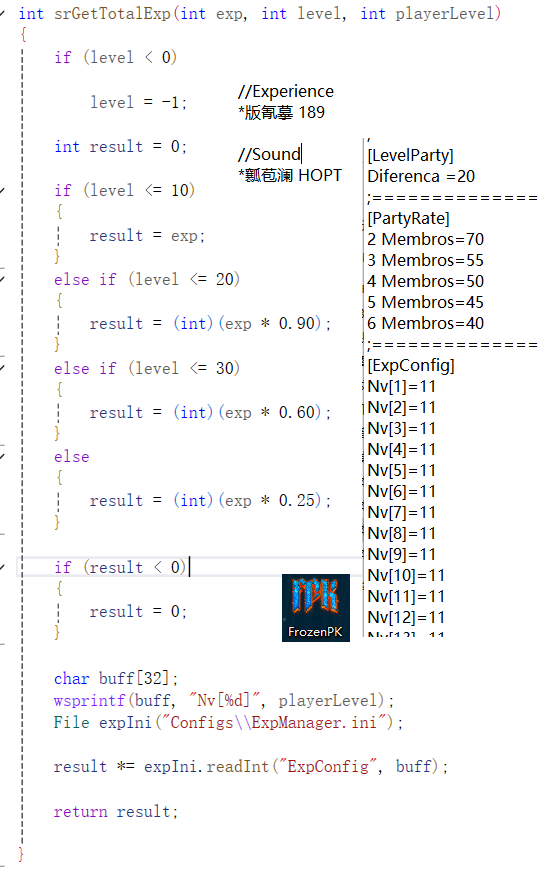
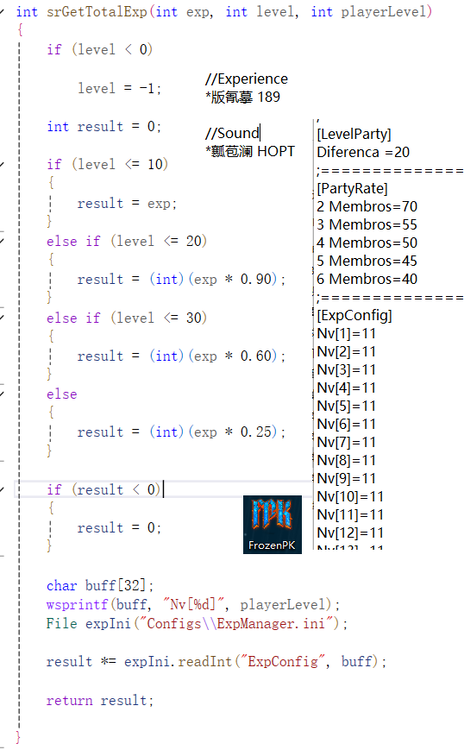
Has anyone studied FrozenPK? I think this game is better, so I am learning it. I found that when characters kill monsters, they cannot gain experience points. I configured GameServerMonster and ConfigsExpManager on the server, but still cannot gain experience. Using the same files on ELEMENTALPT, experience points can be gained normally. It's very strange. I hope everyone can point me to where I should look. Thank you very much.
-
Thank you, my friend. I just thought of something: I only added the relevant content in the client, and I didn't add anything in the server. I wonder if this is related...
-
Hello everyone, I am a new enthusiast of Priston Tale. I tried to add a new character, Assassine, to my game. When I log into the game, she always acts in the wrong posture, and I also can't understand why she is bound to the Archer's skills. When I press the T key, she turns into the Archer. These issues have been bothering me, and I hope experienced programmers can give me some tips. Thank you all.2026.mp4